Geometry Arrow 2
Instructions
Goal: Reach the portal without crashing into obstacles.
How to play:
- Select any of the 6 levels from the main menu.
- Tap/click at the right moment to dodge obstacles in sync with the music.
- Each level includes both Arrow and Wheel segments.
Controls:
PC
- Press SPACEBAR or LEFT MOUSE BUTTON to move or jump.
- Press ESC to exit the level.
Mobile
- Tap the screen to move or jump in rhythm.
- Quick reactions and precise timing are key to success!
What is Geometry Arrow 2?
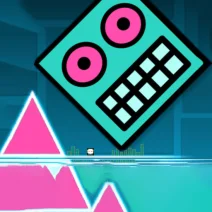
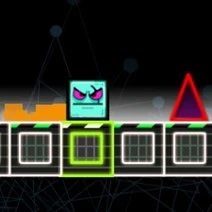
Geometry Arrow 2 is the fast-paced sequel to the original rhythm arcade hit, where players navigate through dynamic levels while dodging obstacles that move to the beat.
Gameplay & Features
Switch between the Arrow and the all-new Wheel character, each offering unique mechanics. Unlock achievements and customize your gameplay with various skins, particles, and block textures. Time your moves perfectly to reach the portal!
Tips & Strategies
Focus on the rhythm of the music to time your jumps accurately. Practice each level to master the challenges and unlock all achievements.
Game Elements
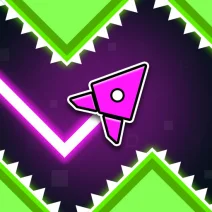
- Characters: Choose between the Arrow and Wheel, each providing distinct gameplay mechanics.
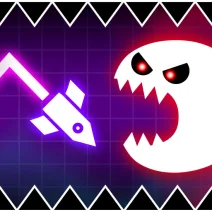
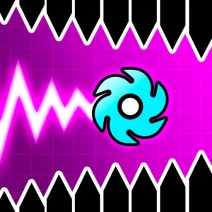
- Obstacles: Avoid moving walls and traps that challenge your timing and reflexes.
- Collectibles: Gather power-ups and skins to enhance your gaming experience.
- Levels: Explore 6 dynamic levels, each with increasing difficulty and unique challenges.
- Environment: Navigate through vibrant platforms that sync with the beat of the music.
FAQ
Is Geometry Arrow 2 free to play?
Yes, you can play Geometry Arrow 2 for free online without any downloads.
Can I play Geometry Arrow 2 at school?
This game is unblocked and can be played at school on any browser.
What devices can I use to play Geometry Arrow 2?
The game is compatible with both PC and mobile devices, making it accessible anywhere.